Most firms already automate documents with templates and merge fields. That covers the forms and standard packs, but it never touched the letters and notes a fee-earner writes fresh every day. AI legal document automation closes that gap by drafting from speech, so this guide shows where it helps, which documents to start with, and what to check first.
Key Takeaways – Traditional legal document automation fills templates with merge fields; AI extends it by drafting from a dictation. – That means it can automate the letters and notes that never fitted a template, like attendance notes and engagement letters. – Best candidates are high-volume, repeatable documents; bespoke and court-bound work still suits deliberate drafting. – SpeechWrite Scribe reaches up to 99% accuracy and drafts up to 3x faster than typing, but every draft still needs a human review.
What is AI legal document automation?
Legal document automation is any process that produces a document with less manual effort than writing it from scratch. Traditionally that meant templates: a fixed skeleton with merge fields for names, dates and matter details. The AI version goes further by drafting the body text from a fee-earner’s dictation.
The difference matters. A template only works when a document has a predictable structure you can pre-build. A letter about a specific matter, an attendance note or a status update rarely fits that mould, so it gets typed by hand.
Here’s the point most coverage misses: template automation and AI automation solve opposite problems. Templates handle the documents that repeat in form; AI handles the ones that repeat in purpose but change in content. A firm needs both, and the AI half is the part that’s been missing.
This sits inside the wider picture we map in AI for law firms, and it’s the working principle behind a legal AI scribe. You speak the substance, and the tool returns a formatted first draft.
How does AI turn a dictation into a finished document?
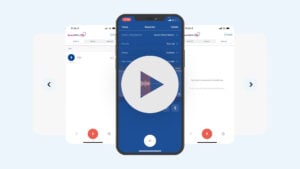
In 2026, SpeechWrite reports its Scribe tool reaches up to 99% accuracy and drafts up to 3x faster than typing (SpeechWrite, Scribe: from voice to finished document, 2026). The workflow is simple: a fee-earner dictates as they would to a secretary, and the AI returns a structured draft.
The steps look like this:
- Dictate the substance. You explain what happened or what the letter needs to say, in natural speech.
- The AI drafts. It structures the content into a letter or note, with legal formatting and firm-specific vocabulary.
- You review and approve. The fee-earner checks the draft, edits anything, and signs it off.
That third step isn’t optional. AI legal document automation shortens the drafting, not the professional judgement, so a human always confirms the output before it goes near a client or a file.
Which legal documents should you automate first?
Start with high-volume, repeatable documents, because that’s where automating legal documents returns the most time. The best candidates share a pattern: you produce many of them, they follow a familiar shape, and they still need bespoke wording each time. That combination is exactly what templates couldn’t handle.
Strong first candidates include:
- Engagement and client care letters, produced at the start of most matters.
- Attendance notes and file notes, written after calls and meetings.
- Matter and status update letters, keeping clients informed.
- Completion and follow-up correspondence in conveyancing and transactional work.
By contrast, keep deliberate drafting for the documents that carry the most risk. Bespoke agreements, pleadings and other court-bound documents still suit a considered, manual approach with full review. We break the mix down further in what Scribe drafts for a law firm.
Our advice: pick one high-volume document, an engagement letter or an attendance note, and automate that first. Prove the time saving and the accuracy on a low-risk, repeatable task before you widen the scope.
Is AI-drafted legal documentation accurate enough to trust?
Accuracy is high but never absolute, which is why a review step is built into the workflow. SpeechWrite reports Scribe reaches up to 99% accuracy, and that it learns firm-specific terms, case names and citations over time (SpeechWrite, Scribe: from voice to finished document, 2026). Even so, the fee-earner owns the final document.
Think of the AI as a fast, capable drafter rather than a signatory. It gets the structure and the bulk of the content right, and it saves the time you’d spend typing. What it can’t do is exercise legal judgement or carry professional responsibility for the result.
So the rule is straightforward: read every draft before it leaves your firm. The time saving comes from not typing, not from skipping review. We look at this question in depth in is AI-generated legal documentation accurate enough to trust.
What about security, GDPR and case-system integration?
A dictation about a client matter is personal data, so the same rules apply as with any tool that handles client information. The Information Commissioner’s Office treats voice recordings and matter data as personal data under UK GDPR, and your SRA confidentiality duties apply in full (ICO, 2026).
Before you adopt any AI legal document automation, confirm:
- Where data is hosted and stored, ideally UK or EU, with encryption in transit and at rest.
- Whether your data trains a model, and whether you can opt out.
- A processor agreement, covering the vendor’s handling of client data.
- Retention and deletion, so dictations and drafts aren’t kept indefinitely.
Integration is the other practical test. A draft only saves time if it lands in the right place, so the tool should push finished documents into your case or document management system. We cover this in integrating dictation with your case management system, and you can compare options in the best AI legal software for UK law firms.
Conclusion
AI legal document automation isn’t a replacement for templates; it’s the missing half. Templates handle documents with a fixed shape, and AI drafts the letters and notes that never fitted one, straight from a dictation. Used together, they cover far more of a fee-earner’s daily output than either can alone.
- Start with high-volume, repeatable documents, not bespoke or court-bound work.
- Keep a human review step on every draft; the AI drafts, you approve.
- Apply your full GDPR, SRA and integration checks before you adopt.
Ready to draft letters and notes from a dictation? Explore SpeechWrite Scribe or read our guide to AI for law firms.
Frequently Asked Questions
What is legal document automation?
Legal document automation is producing documents with less manual effort than writing them from scratch. Traditionally it meant templates with merge fields; AI extends it by drafting letters and notes from a dictation (SpeechWrite, Scribe, 2026). The two approaches suit different documents and work well together.
Which documents suit AI legal document automation best?
High-volume, repeatable documents suit it best: engagement letters, attendance notes, file notes, and status or completion correspondence. These repeat in purpose but change in content, so templates never handled them well. Bespoke agreements and court-bound documents still suit deliberate drafting with full review.
Is AI-drafted legal documentation accurate enough to rely on?
SpeechWrite reports its Scribe tool reaches up to 99% accuracy and learns firm-specific terms over time (SpeechWrite, Scribe, 2026). Accuracy is high, but a fee-earner must review and approve every draft before it’s relied upon. The AI drafts; you keep professional responsibility.
Is AI legal document automation GDPR compliant?
It can be, if configured correctly. A dictation about a matter is personal data under UK GDPR, so confirm UK or EU hosting, encryption, a processor agreement and retention rules, and check it against your SRA duties (ICO, 2026). Compliance depends on setup, not the technology alone.